



New To Education explains what small businesses need from a modern website, including mobile-friendly design, clear service pages, fast performance, strong security, accessibility, search visibility, and simple ways for customers to take action.
Editorial Note
This article explains the features small businesses should consider when creating or improving a professional website. The right setup will depend on the business, its customers, its budget, and the services it provides.
New To Education offers web-development services for businesses, educators, professionals, and organizations. Specific features, timelines, maintenance needs, and costs should be discussed before a project begins.
A Website Should Do More Than Prove a Business Exists
A modern website is no longer just an online business card.
Customers may visit a website before they call, send an email, book an appointment, visit a location, or trust a company with their money. In many cases, the website becomes the customer’s first meaningful interaction with the business.
That first impression matters.
A website does not need expensive animations or a complicated design to be effective. It needs to communicate clearly, work properly, and make it easy for visitors to understand what the business offers.
Small businesses often lose potential customers because their websites create unnecessary confusion. The service may be excellent, but the phone number is difficult to find. The company may be trustworthy, but the website looks abandoned. The owner may offer exactly what a customer needs, but the visitor cannot tell what the next step is.
New To Education approaches web development from a practical perspective. A strong website should help a business explain its value, build trust, generate inquiries, and create a clear path from interest to action.
The Website Must Explain the Business Quickly
Visitors should not have to investigate a website to understand what the company does.
The homepage should answer a few basic questions almost immediately:
What does the business offer? Who does it serve? Where does it operate? Why should the visitor trust it? What should the visitor do next?
A tutoring company, for example, should make it clear which subjects and age groups it supports. A local contractor should identify its service area. A consultant should explain the problems they help clients solve.
Businesses sometimes make the mistake of leading with vague language such as “innovative solutions,” “quality service,” or “excellence you can trust.”
Those phrases sound professional, but they do not tell customers very much.
Specific language is usually stronger.
Instead of saying, “We provide business solutions,” a company could say, “We build affordable websites and booking systems for small businesses, educators, and independent professionals.”
Clarity is more persuasive than cleverness.
Mobile Design Is No Longer Optional
Many customers will first encounter a business through a phone.
A website that looks polished on a desktop computer may still be difficult to use on a smaller screen. Text can become too small, menus may overlap, buttons may be difficult to press, and images can stretch beyond the page.
A modern website should use responsive design so the layout adjusts to different screen sizes.
Visitors should be able to read the text, open the navigation menu, complete a form, and press important buttons without repeatedly zooming in and out.
Mobile usability also affects how professional a business feels.
A visitor may assume that a company with a broken mobile website is inactive, careless, or difficult to work with. That judgment may be unfair, but the customer can still leave and choose a competitor.
Google also uses the mobile version of a website when evaluating and indexing pages, making mobile performance important for both visitors and search visibility.
Every Website Needs a Clear Call to Action
A visitor should always understand what to do next.
Depending on the business, that action might be:
Book an appointment. Request an estimate. Purchase a product. Join a mailing list. Call the company. Send a message. Register for a class. Download a guide.
The website should not make the visitor search for those options.
A clear call to action should appear near the top of the homepage and at natural points throughout the site.
The wording should be specific. “Get Started” can work, but “Request a Free Consultation” or “Book Your First Lesson” provides more information.
Too many competing calls to action can create another problem.
If the visitor is asked to call, subscribe, donate, register, download, purchase, and follow five social-media accounts at the same time, the page can become overwhelming.
The most important action should receive the most attention.
Service Pages Should Answer Real Customer Questions
A small business should not place every service inside one crowded paragraph.
Each major service deserves its own page.
A strong service page should explain what is offered, who it is designed for, how the process works, what the customer receives, and how to begin.
Pricing may also be included when appropriate.
Some businesses avoid showing any pricing because they want customers to contact them first. That can work for highly customized services, but the website should still give visitors enough information to understand the likely level of commitment.
A website-development page, for example, might explain whether the service includes design, mobile optimization, contact forms, payment tools, maintenance, content updates, or search-engine preparation.
Detailed service pages can help both customers and search engines understand what the business does.
A Professional Website Must Build Trust
A customer who has never worked with a business may look for signs that it is legitimate.
Useful trust signals can include:
A clear company name. A professional email address. An About page. Accurate contact information. Real photographs. Customer reviews. Business policies. Credentials. Examples of previous work. Secure payment processing.
These elements should be truthful and verifiable.
A business should not display ratings, customer totals, partnerships, awards, or professional affiliations that it cannot support.
Trust is difficult to build and easy to lose.
Small details also matter. Broken links, unfinished text, placeholder images, spelling errors, and outdated information can make a real business appear unreliable.
A modern website should be reviewed regularly rather than treated as a project that is permanently finished after launch.
The Website Should Be Fast
Visitors are not known for their patience.
Large images, unnecessary animations, outdated plugins, and excessive scripts can make a website slow.
A slow website creates frustration, particularly for mobile visitors or people using weaker internet connections.
Performance improvements may include compressing images, removing unused code, limiting heavy visual effects, using reliable hosting, and loading certain content only when it is needed.
Speed is not simply a technical concern.
It affects how visitors experience the business.
A beautiful website that takes too long to load may perform worse than a simpler website that opens quickly and lets customers find what they need.
Security Must Be Built Into the Site
Every business website should use HTTPS encryption.
Visitors should see the secure connection indicator in their browser, particularly when submitting personal information, creating an account, or entering payment details.
The website should also receive regular updates.
Content-management systems, plugins, themes, payment tools, and server software may develop security vulnerabilities over time. Ignoring updates can leave the business and its customers exposed.
Strong passwords, backups, spam protection, limited administrative access, and secure hosting are also important.
Businesses that collect customer information should understand what data they store, why they collect it, and who can access it.
A website should collect only the information the business actually needs.
Accessibility Makes the Website Usable for More People
A modern website should be designed for people with different abilities and different ways of accessing information.
That may include visitors who use screen readers, keyboard navigation, enlarged text, voice controls, captions, or alternative input devices.
Useful accessibility practices include providing text descriptions for important images, using clear heading structures, maintaining readable contrast, labeling forms, and ensuring that the site can be navigated without a mouse.
The World Wide Web Consortium’s Web Content Accessibility Guidelines provide an internationally recognized framework for improving digital accessibility.
Accessibility should not be treated as a decorative extra.
It improves usability, helps more customers access the business, and encourages developers to build websites with clearer structures.
Search Visibility Requires More Than Adding Keywords
Search-engine optimization is often misunderstood.
Some business owners believe that repeatedly adding a keyword to a page will automatically place the site at the top of Google.
Modern SEO is more complicated.
A website needs clear titles, useful content, logical navigation, mobile usability, working links, descriptive page addresses, and accurate information.
The business should also publish content that answers questions potential customers actually ask.
For example, a resume-writing business could publish an article explaining common resume mistakes. A tutoring service could explain how parents can recognize learning gaps. A web-development company could publish a guide describing what small businesses should expect from a professional website.
Those articles can attract readers while demonstrating the company’s knowledge.
SEO works best when the content is genuinely helpful rather than created only to manipulate search rankings.
Local Businesses Need Local Information
Businesses serving a particular area should make their location clear.
The website should identify the cities, regions, or communities it serves. Contact information should remain consistent across the website, Google Business Profile, social-media pages, and business directories.
A local company may also benefit from pages explaining services within specific areas, provided those pages contain meaningful and unique information.
Creating dozens of nearly identical pages with only the city name changed is unlikely to help visitors.
Local content should reflect real differences, such as service availability, travel areas, office locations, regional needs, or community partnerships.
Forms and Booking Systems Should Be Simple
A contact form should ask for enough information to understand the customer’s request without feeling like an application for a security clearance.
Long forms can discourage visitors.
The business may need the customer’s name, email address, service of interest, and a brief message. Additional information can be collected later.
Appointment-based businesses may benefit from an online booking system that shows availability and sends confirmation messages.
Payment tools may also be useful for businesses selling services, subscriptions, classes, or products.
Every form should be tested.
A form that appears to submit successfully but never delivers the message is worse than having no form at all because the business may never know it lost the customer.
The Website Should Reflect the Business’s Brand
A brand is more than a logo.
It includes the language, images, colors, structure, and overall feeling associated with the business.
A children’s tutoring website may need to feel welcoming and supportive. A law firm may require a more formal tone. A fitness company may emphasize movement and energy.
The design should support the business rather than distract from it.
Consistency matters.
The website, social-media profiles, business cards, advertisements, and other materials should appear connected. Customers should not feel as though they have reached an unrelated company when moving from one platform to another.
Analytics Help Businesses Understand What Is Working
A website should not operate entirely in the dark.
Analytics can show how visitors find the site, which pages receive attention, how long people stay, and where they leave.
Businesses can use that information to improve the experience.
For example, a service page may receive many visitors but very few inquiries. That could mean the pricing is unclear, the page lacks trust signals, or the contact button is difficult to find.
Analytics do not automatically explain why something happened, but they help businesses identify where to investigate.
Website owners should also distinguish between genuine visitors and bots, crawlers, spam, or automated traffic.
A large traffic number means little when the visitors are not real customers.
A Website Requires Ongoing Maintenance
Launching the website is the beginning, not the end.
Businesses change their prices, services, staff, schedules, and contact information. Software must be updated. Links break. Forms fail. Policies become outdated.
A maintenance plan can help prevent small problems from becoming major ones.
The site should be checked regularly for:
Outdated information. Broken links. Security updates. Backup failures. Form problems. Mobile display issues. Slow pages. Missing images.
A neglected website can gradually stop representing the business accurately.
Ongoing maintenance protects the investment made during development.
How New To Education Supports Small Businesses
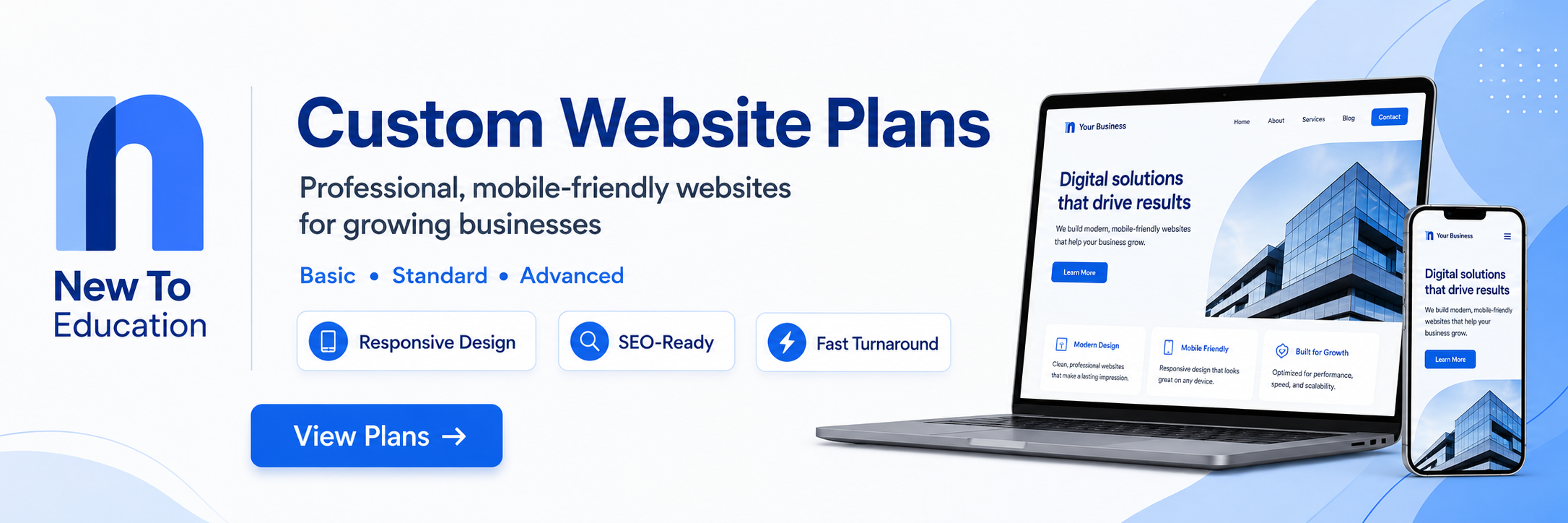
New To Education provides web-development support for small businesses, educators, professionals, and organizations that need a clearer and more functional online presence.
Our goal is not simply to place information on a page.
We help clients think about how visitors will move through the website, what information they need, and which actions should be easiest to complete.
Depending on the project, that may include website design, service pages, responsive layouts, contact forms, booking tools, payment features, business branding, content organization, and ongoing updates.
Businesses can explore New To Education’s web-development subscription options here:
https://newtoeducation.com/purchase-subscriptions/5
A consultation should begin with the business’s actual goals. A local service provider may need more inquiries. An educator may need course pages and booking tools. A new company may need a complete digital identity.
The right website should be designed around the customer journey rather than a generic template.
Key Takeaways
A modern small-business website should clearly explain what the company offers and make it easy for customers to take the next step.
Mobile-friendly design, fast performance, security, accessibility, strong service pages, and accurate business information are essential parts of a professional online presence.
A website should also be maintained after launch. Outdated information, broken forms, security vulnerabilities, and unfinished content can damage customer trust.
New To Education offers web-development support for businesses and professionals that need a practical, organized, and growth-focused website.
Frequently Asked Questions
Does every small business need a website?
Most businesses benefit from having a professional website, even when they receive customers mainly through referrals or social media. A website gives the company greater control over its information, services, branding, and customer experience.
Can social media replace a business website?
Social media can support a business, but the company does not control the platform, algorithm, or account rules. A website provides a more stable home for services, contact information, bookings, and business content.
How much should a small-business website cost?
The cost depends on the number of pages, required features, design needs, payment tools, booking systems, content, maintenance, and level of customization.
How long does it take to build a website?
A simple website may be completed relatively quickly, while a larger site with custom features, payments, user accounts, or extensive content may take considerably longer. The timeline should be established after the project requirements are defined.
Will a new website automatically rank first on Google?
No. Search visibility takes time and depends on competition, site quality, content, technical health, relevance, links, and other factors. No responsible developer should guarantee an immediate first-place ranking.
Final Thoughts
A small business does not need the most complicated website on the internet.
It needs a website that works.
Customers should be able to understand the company, trust the information, and complete the next step without confusion.
The best business websites often feel simple because the difficult work happened behind the scenes. The navigation was planned carefully. The content was organized. The mobile layout was tested. The forms were checked. Unnecessary distractions were removed.
A website should not exist merely because businesses are expected to have one.
It should support the goals of the company.
For some businesses, that means generating appointments. For others, it means selling products, building credibility, sharing information, or reaching customers beyond the local area.
The design should begin with that purpose.
A modern website is not just a collection of pages. It is part of the way a business communicates, serves customers, and prepares for future growth.
Support New To Education
New To Education publishes practical information about education, careers, business, technology, web development, and professional growth.
Support through the donation area below helps us continue producing accessible content for students, educators, professionals, businesses, and lifelong learners.
Readers can also support New To Education by sharing this article, subscribing to updates, exploring our services, or discussing partnership opportunities through the platform.
Related Articles
Why New To Education Publishes News, Research, and Educational Analysis
https://newtoeducation.com/view-blog/why-new-to-education-publishes-news-research-and-educational-analysis-6a5ec60a30faa
Are Students Becoming Too Dependent on AI?
https://newtoeducation.com/view-blog/are-students-becoming-too-dependent-on-ai-6a123bf6424fe
Sources
Google Search Central — Mobile-First Indexing Best Practices
https://developers.google.com/search/docs/crawling-indexing/mobile/mobile-sites-mobile-first-indexing
Google Search Central — Search Engine Optimization Starter Guide
https://developers.google.com/search/docs/fundamentals/seo-starter-guide
Google Search Central — Core Web Vitals
https://developers.google.com/search/docs/appearance/core-web-vitals
World Wide Web Consortium — Web Content Accessibility Guidelines 2.2
https://www.w3.org/TR/WCAG22/
Cybersecurity and Infrastructure Security Agency — Cyber Guidance for Small Businesses
https://www.cisa.gov/audiences/small-and-medium-businesses